It’s called Map Guides, and if you’re serious about getting better at CS2 utility without wasting hours alt-tabbing between YouTube, TikTok, and random screenshots, it’s one of the fastest ways to build real in-game muscle memory.
Most players think the only way to learn CS2 smokes is to sit in an offline server with grenade commands and grind lineups one by one. That still works. But Valve has quietly added official and workshop-backed guide support that makes the whole process way easier, especially if you’re trying to learn practical nades for Mirage, Inferno, Anubis, Ancient, Nuke, Dust2, Overpass, or Train.
If you’re searching for things like CS2 smoke guide, how to learn CS2 smokes, best CS2 utility practice, CS2 flash lineups, or CS2 molotov lineups, this is the feature you should know first.
What is the CS2 Map Guide feature?
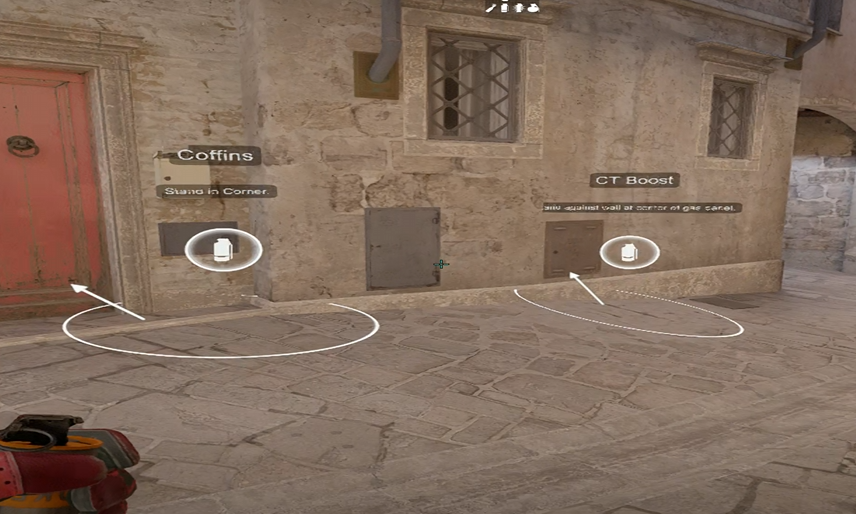
Map Guides are in-game utility guides that place visual lineup markers directly on the map so you can walk to the right spot, aim at the right reference, and throw the nade without guessing.
In plain English: instead of watching a 20-second clip ten times and hoping you remember the lineup, CS2 can show you the setup where it actually matters, inside the map itself.
That makes a huge difference because utility in Counter-Strike is not just about knowing what smoke to throw. It’s about learning:
- where to stand
- what exact visual cue to use
- whether it’s a jump throw
- what the nade actually does when it lands
- when that lineup is worth using in a real round
That last point matters. A lot of players know “content creator smokes.” Fewer players know match-winning smokes.
Why this feature is actually useful
As someone who has played enough Counter-Strike to know the difference between a cool lineup and a useful one, here’s why Map Guides are worth your time:
First, they cut out friction. The less friction there is, the more likely you are to actually practice utility.
Second, they teach lineups in the right environment. You’re not memorizing from a second monitor. You’re learning on the real map, with the real angles, spacing, and movement.
Third, they help newer players understand utility structure faster. A player who doesn’t know why a CT smoke, Coffins smoke, Window smoke, or Heaven molly matters will learn faster when the lineup is tied to the actual bombsite and route.
And finally, they’re much better for repetition. Repetition is what turns “I saw this once” into “I can throw it under pressure in round 22.
How to use Map Guides in CS2
There are two ways to think about this feature.
1. Practice mode for actually learning lineups
This is the best use case if you want to properly learn CS2 smokes, flashes, and molotovs.
The flow is simple:
- Open the Steam Workshop and subscribe to a map guide for the map you want.
- Launch CS2.
- Go to Play.
- Open the Practice tab.
- Pick the map.
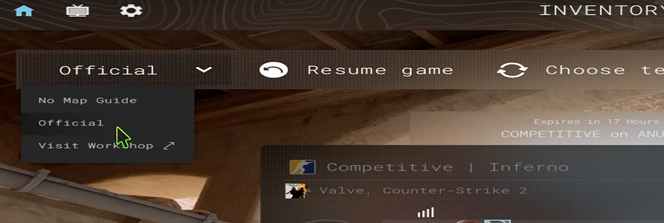
- Turn on Use Map Guide or Load Map Guides.
- Select the guide you want and load in.
Once you’re inside, the guide places lineup markers and instructions directly on the map so you can practice the utility step by step.
This is where the feature is strongest. If you want to learn Inferno B executes, Mirage A smokes, Anubis mid utility, or Train T-side lineups, this is the cleanest built-in way to do it.
2. Competitive and Retakes for quick reminders
Valve also expanded Map Guides into live modes, which is where the “hidden feature” angle really kicks in.
In Competitive and Retakes, limited map guides are available during the first five rounds of each half. So if you blank on a basic execute smoke early in the half, you can use the guide as a reminder instead of pretending you remember it and whiffing the lineup.
That’s not meant to replace practice. It’s meant to bridge the gap between “I kind of know this smoke” and “I can use it confidently in a match.”
If you’ve ever said, “I know the Mirage Window smoke, I just forgot the exact aim,” this is for you.
How CSSkill can help you improve your game
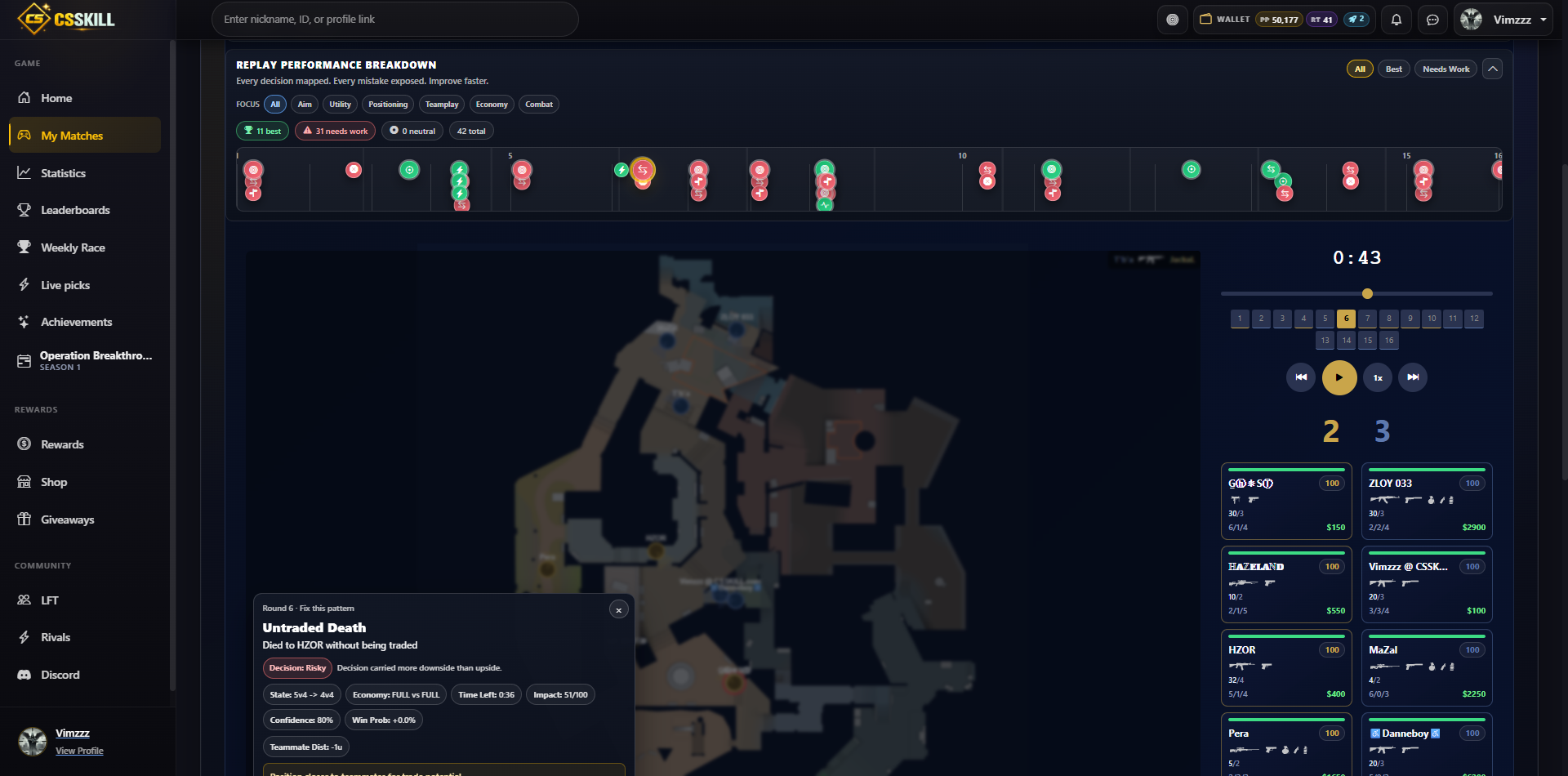
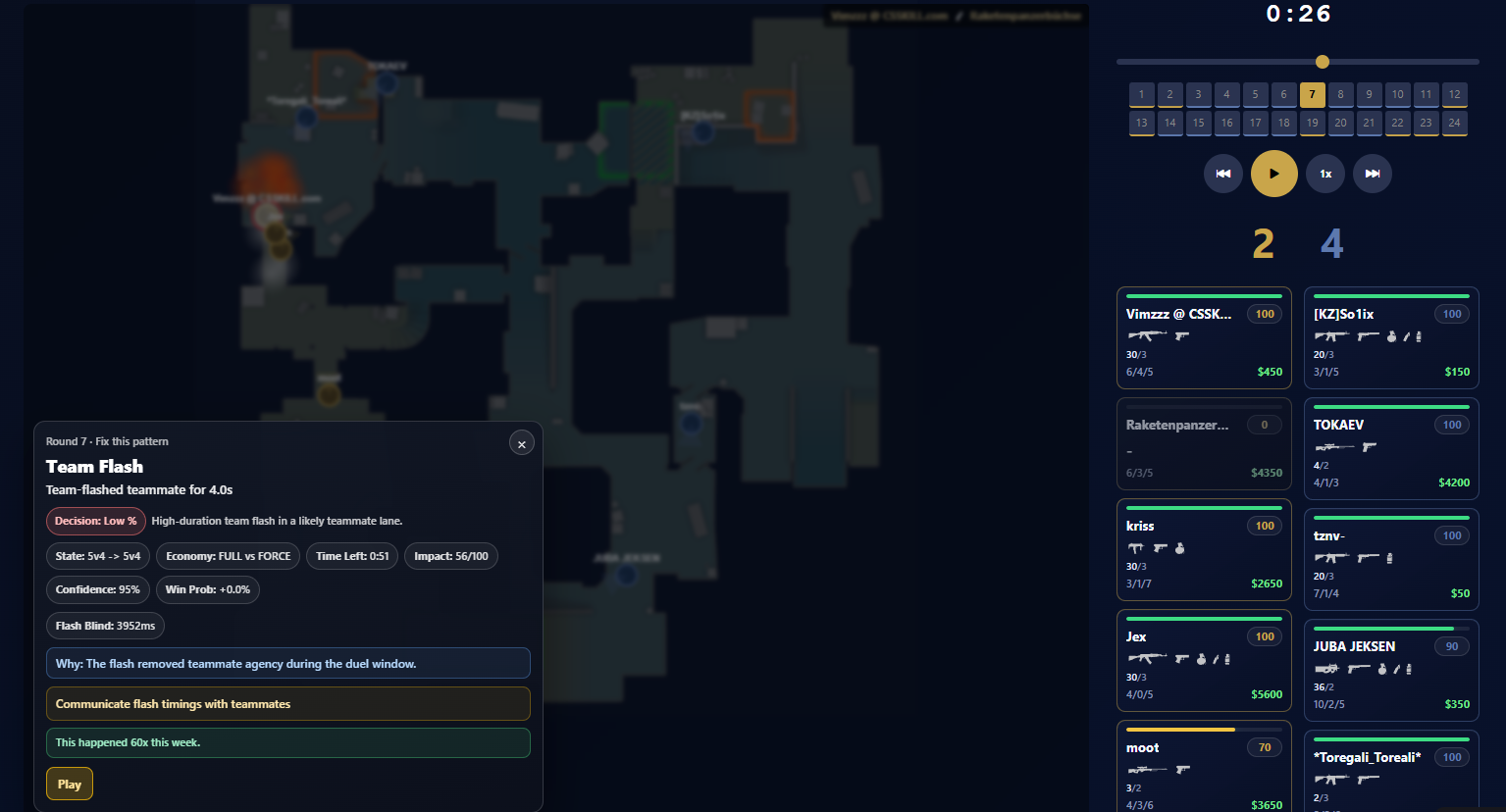
CSSkill.com gives you actionable feedback on all your plays during your matches in interactive 2D demo replays and game statistics that you can actually use to your advantage and improve on over time. All of our features a free to use forever and your matches are automatically imported wether its Premier, Matchmaking, Wingman or FACEIT.
The smartest way to use Map Guides
Don’t use Map Guides like a crutch. Use them like a training wheel.
Here’s the best routine:
- Load one map at a time.
- Learn 3 to 5 high-value lineups, not 25 random ones.
- Throw each lineup several times with the guide on.
- Turn the guide off and repeat from memory.
- Use only nades you would actually call in pugs, Premier, FACEIT, or scrims.
That means you should prioritize:
- entry smokes
- choke-point mollies
- anti-AWP utility
- post-plant flashes
- basic retake smokes
Not every smoke needs to be fancy. In real CS2, the best utility is usually the one you can throw consistently under pressure.
What kind of nades should you learn first?
If you’re new to utility, start with lineups that solve common problems.
For T side, that usually means:
- Mirage: Window smoke, Jungle smoke, CT smoke
- Inferno: Coffins smoke, CT smoke, Moto smoke
- Anubis: Mid control smoke, Heaven smoke, CT cut-off utility
- Ancient: Donut smoke, Temple smoke, Cave molly
- Nuke: Outside wall smokes, Heaven smoke
- Dust2: Xbox smoke, Cross smokes, Mid-to-B utility
- Overpass: Bank smoke, Truck smoke, Divider utility
- Train: A-cross smoke, Ivy smoke, Z smoke, Popdog pressure utility
For CT side, focus on:
- delay mollies
- retake flashes
- smoke refreshes
- one or two fast anti-rush pieces of utility
That’s how you build a utility pool that actually wins rounds.
Why this matters more in CS2 than people think
CS2 is still Counter-Strike, but utility matters even more when players understand spacing, rotations, and timing.
A good smoke doesn’t just block vision. It changes what the other team is allowed to do.
A good flash doesn’t just blind someone. It lets your teammate take space safely.
A good molly doesn’t just burn a corner. It forces a player into a worse fight.
That’s why learning utility is one of the highest-value improvements you can make if your aim is decent but you still feel inconsistent. The player who knows what to smoke, when to smoke it, and how to chain utility with teammates will always punch above pure mechanical rank.
To summarize
If you want the fastest answer to how to learn smokes in CS2, it’s this:
Use the in-game Map Guide feature to learn a small pool of practical lineups on the maps you actually play, then repeat them until you no longer need the guide.
That’s the real trick.
Don’t chase 100 niche lineups. Learn 5 useful ones on your main map, understand why they work, and start throwing them in real matches. Once those are automatic, add more.
That’s how good utility players are made in Counter-Strike. Not by watching content forever. By practicing the right nades until they become part of your default game.